
-

Try advanced features for free
Get Smarter responses, upload files, create images, and more by logging in.
Log In Sign up & Earn $5

How to Use AI Task Automation to Save Hours Every Week
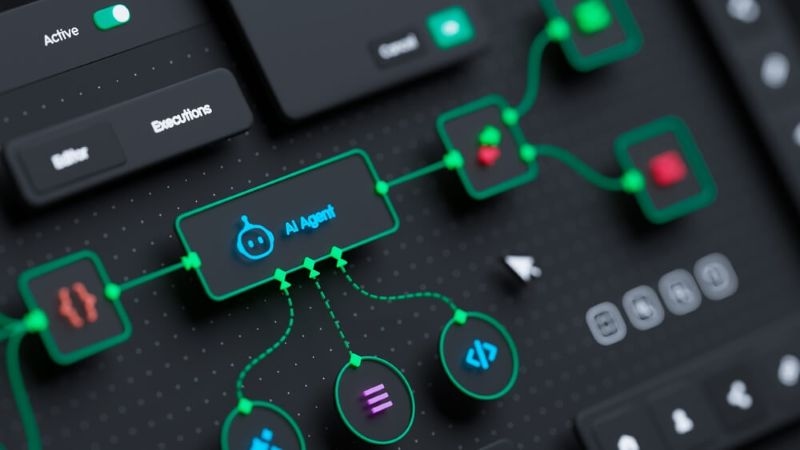
Time slips through your fingers quicker than you realize. One second you're answering a couple of emails; next thing you know, the day's half gone, swallowed by tiny tasks that never seem to end. It's familiar, right?
This is where AI-driven task automation starts to actually matter. The goal isn't to get rid of your job-it's to clear out the repetitive, low-value stuff so you can finally focus on the important things.
Let's break down what it looks like in practice, how to get started, and what tools like Claud.com are doing to shake up how people use AI to streamline their work.
AI Task Automation And Why It Matters
It's not just some trendy tech phrase. AI task automation is about handling all those regular, predictable chores without having to do them by hand. The idea's simple: spot the parts of your day that keep repeating, then let AI take them off your plate.
What AI task automation actually does
Take a look at your daily grind:
- Sorting through email
- Juggling meetings
- Cleaning up files
- Pulling together reports
None of these feels huge by itself. But roll them all together, and suddenly half your week is gone.
Why are people adopting it quickly
People are turning to AI tools more every day for a few reasons:
- Work keeps piling up
- Teams are shrinking
- Everyone expects faster results
Automation steps in to connect those dots. And honestly, once people get a taste of how much time they get back, there's no going back. You feel the difference almost right away.
How To Automate Workflows With AI Without Overcomplicating It
Lots of folks think you need to be super technical to automate your workflow. That was true not long ago. Not anymore. Today, most platforms are built for regular people-no coding degree required.
Start with repetitive workflows
Seriously, look for anything in your routine that repeats. Ask yourself: What do I end up doing every single day? Where do I copy and paste the most? What always follows the same set of steps? Those are your clues.
A basic workflow could look like this:
- You get a customer inquiry
- Shoot back a canned reply
- Log the request somewhere
- AI can handle almost all of that, no problem.
Let AI help first-don't go all in right away
Use AI to assist before full automation
Let's skip the hype. Not every tool is going to suit your workflow, and sometimes adding the wrong one creates headaches. The trick is finding tools that actually remove friction instead of adding it.
Time Saving AI Tools That Actually Work
Pretty much all AI tools that help with time management fall into a few main groups:
Common categories of AI tools
Most time-saving AI tools fall into a few categories:
- Messaging assistants (drafting emails, DMs, quick notes)
- Scheduling bots (sorting your calendar, handling invites)
- Analytics helpers (summarizing data, pulling reports)
- Content generators (first drafts for posts, ideas, and articles)
You don't need the whole lineup. Just grab the ones that solve your biggest bottlenecks and ignore the rest.
Why Claud.com stands out
Here's where things get interesting.
Claud.com isn't just another AI platform-it's built to fuse chat and search in a way that's actually useful for real people, not just techies.
Here's what's unique:
- Unlimited AI search is free-everyone gets the same features
- Content creators get paid when their stuff is used
- Users get perks like cashback and real rewards
It's about more than just automation; it's a setup where everyone wins.
Automation Software 2026 And What's Changing
Compared to a few years back, automation software looks brand new. It's a big but quiet shift.
Old-school automation asked for strict commands-you had to be pretty specific. Now, you type what you want the same way you'd ask a colleague, and AI catches the meaning without a fuss.
Real Examples Of AI Task Automation In Action
Let's zoom in. Here's what it looks like on any regular Tuesday.
Take email, for starters. AI jumps in, sifts through your inbox, spots the important stuff, and starts drafts for you. All you do is review, make quick edits, and hit send. It's done in minutes.
Or scheduling meetings. Instead of bouncing emails around forever, AI scans everyone's calendars, finds open times, and sets things up. You barely lift a finger and still save a bunch of time.
Content creation? That gets way easier, too. Whether you need a blog post, a quick report, or a social update, AI kicks out a first draft almost instantly. All that's left for you is fine-tuning and publishing.
Common Mistakes To Avoid When Using AI Automation

AI can be powerful, but it's not a miracle worker. People make a few classic errors:
Trying to automate everything at once
Everyone gets excited-then tries to hand off every task on day one. That's a recipe for confusion. Pick one thing, automate it, then keep building.
Ignoring human oversight
AI slips up sometimes, especially with nuance or sensitive info. Always double-check important communication and numbers.
The Future Of AI Task Automation And Why It Matters Now
Here's what's coming: by 2026, a lot of online search is going to happen inside AI chat and digital assistants, not through old-school search bars. It's already starting, and platforms like Claud.com are leading the way.
Learning how to use AI for your tasks right now puts you ahead of the curve. You save time, set up better systems, and plug into tech as it changes-no scrambling to catch up.
Conclusion
AI task automation isn't some scary or ultra-complicated thing. Really, it just lets technology handle the mindless parts so you can focus on stuff that actually matters. Start with the basics, spot what you repeat all the time, and pick tools that actually cut down your effort. Small changes add up-trust me.
And if you choose the right platform, like Claud.com, you're not just clawing back lost hours. You're actually working in a system built to benefit everybody involved. That's the real win-not just being faster, but being smarter.
FAQs
Can AI automation work for personal life, not just business?
Yes, it does the job pretty well. You can set up reminders, handle emails, organize your schedule, and plan out routines-all on autopilot. It keeps you consistent without much effort and eases a lot of mental load.
Are AI tools safe for sensitive data?
Most modern AI tools include strong security features like access control and encryption. Still, you need to double-check your privacy settings, and it's smart not to share extremely sensitive information unless the platform clearly supports secure handling.
Does using AI automation need technical expertise?
The majority of AI automation technologies don't require you to be a computer expert. They are designed with everyday people in mind. You'll pick it up very fast and begin simplifying your duties if you've ever utilized simple software or apps.
How can you determine whether utilizing AI technology is actually saving you time?
Prior to and following the use of automation, time yourself. By the end of the week, even a few minutes saved on easy activities may add up. You'll likely realize that you have more time for important activities.
Recommended Articles

ChatGPT Alternatives for Codin...
A typical coding day rarely moves in a straight line. One moment...
Read More
Why Privacy-First AI Search Is...
Privacy focused AI is a system that is made to protect the data ...
Read More

What can I help you with?
Unlock more with ClaudGPTPlus
ClaudGPTPlus gives you higher limits, smarter models, and more.