
-

Try advanced features for free
Get Smarter responses, upload files, create images, and more by logging in.
Log In Sign up & Earn $5

Why Use AI to Convert Images into Videos for Strong Content
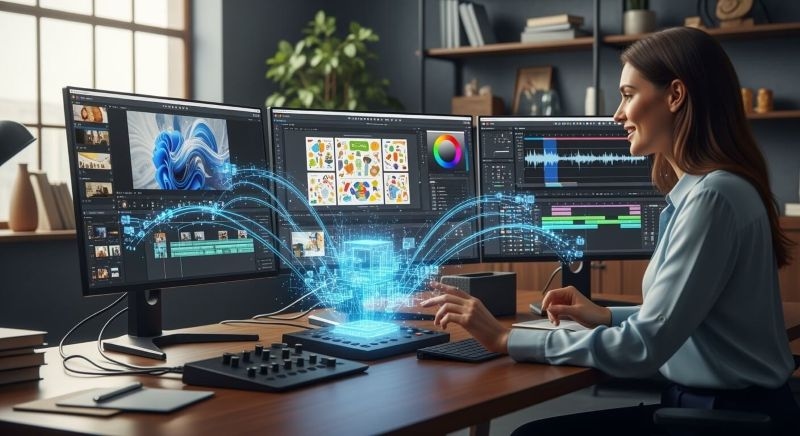
Transforming static images into motion graphics has become one of the easiest methods of expanding the audience, attracting more users, and telling better stories. As the reliance on short videos by creators and brands becomes stronger, the demand for tools that convert images into videos has shifted from being one of the nice-to-haves to must-have in daily usage. With the proliferation of such tools, the generational process of AI Videos from images has become quicker, cleaner, and more convenient for anyone after ultra-consistent results and no longer production timelines.
In fact, AI is now responsible for what previously took hours of editing. The combination of quality, scale, and speed is the reason why more marketers and designers are turning to Images into Videos AI for creating social media clips, product launches, tutorials, and daily content. If you would like to transform an ordinary photo into an attention-grabbing dynamic video piece, AI has made it possible without the need for difficult tools.
ImagineGPT from Claud.com has become one of the most reliable options for this. It lets you feed an image, add direction, and produce a video that feels polished without heavy editing. This shift has changed how creators think about video production and has lowered the cost for people who want professional-looking content at scale.
Displayed below is a concise, practical outline of the reasons why AI for the conversion of Images into Videos has become an integral element in the realm of digital storytelling and how the appropriate tools can make "the image already in your possession" be worth even more.
How AI Videos from Images Actually Work
Most individuals are familiar with the editing software that necessitates a timeline, transitions, and manual animation. Artificial Intelligence reverses the process. The software interprets the image, and ascertains the objects, textures, depth, light, and angle, then guesses the motion that goes with the scene. It then adds new frames to the motion and creates a flow that feels natural.
This is the reason that a single picture can become a moving clip. AI scans enormous image and video collections to understand how objects act during motion. The computer vision research and frame interpolation studies, among others, provide evidence of the large-scale operation of these models. Tools like ImagineGPT operate on the same principles but use less complex workflows. You upload, you direct, and the tool comes up with the output.
This process is a way to explore new content ideas without shooting raw footage or getting a motion designer.
Why Creators Turn Images into Videos AI Tools for Faster Output
The shortage of time is among the main reasons why people opt for automation. The use of software for traditional editing and taking hours to create the motion is necessary. This directs the workflow to the slowest part of the process, if the goal is to publish frequently.
AI tools take away the hard part by doing it. In no time one can convert still pictures into video sequences. For instance, a product brand may shoot a single photo and create different video angles for each of the advertising, reels, and website banners. A photographer can make portraits move for the social media account. A designer can produce intro clips for customer presentations from illustrations.
That is what makes the Artificial Intelligence for turning images into videos valuable - the speed increase. You get to produce more content without increasing your workload. This is, for many people, the greatest benefit.
With preset motion styles and clean rendering, ImagineGPT helps you to go a step further and be consistent across all platforms.
The Creative Flexibility You Get With AI to Convert Images into Videos
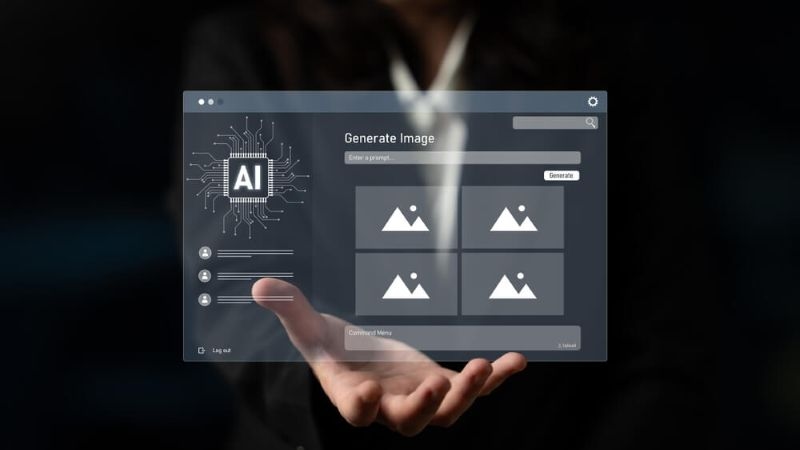
AI gives you room to try ideas that would normally take an advanced toolset. Smooth zooms, slow panning, depth movement, atmospheric shifts, and animated elements can be added with short text instructions. This helps you shape a story from a single image.
Here are a few simple examples:
- Turn a travel photo into a slow moving cinematic shot
- Animate the background of a portrait to add subtle depth
- Create motion for product mockups without needing 3D software
- Build intro clips from artwork or brand imagery
These kinds of results used to require animation skills. Now they are accessible to anyone who uses an AI video generator. Tools like ImagineGPT take inputs as simple as direction like "soft pan forward" or "gentle camera rise", which helps people with no editing experience produce polished results.
This freedom to experiment is one of the reasons AI Videos from Images continue to grow across creative fields.
Better Engagement With AI Videos from Images
Short video consistently performs better than static content. Reports across marketing platforms show that video increases watch time, boosts click through rates, and holds attention longer. When you convert images into videos, you immediately improve the pull of any piece of content you publish.
This is especially helpful for:
- E commerce listings
- Social media ads
- Product education clips
- Brand storytelling
- Personal content posts
Dynamic visuals simply work better. If a viewer stops scrolling even for a few seconds, your message lands. That is the reason creators rely on Images into Videos AI for day to day publishing.
Combine this with ImagineGPT and you can create a consistent pipeline of short, clean videos that match your brand tone even if you start with only still images.
Cost Benefits of Using an AI Video Generator
Producing video at scale used to be expensive. You either invested in equipment or hired someone who could animate or edit. AI cuts these costs and gives you output that looks high quality without the production setup.
If you run a small business, you can take one product image and turn it into ten promotional videos. If you are a content creator, you can recycle your best photos into multiple clips. If you work in marketing, you can generate video variations for A B testing without paying for new photoshoots.
This is where tools like ImagineGPT stand out. The ability to turn AI to Convert Images into Videos into a repeatable workflow helps you produce more while spending less.
Where AI Videos from Images Fit Into Your Content Strategy
If you want predictable results, you need a workflow that is simple and repeatable. AI fits naturally into this. You can use it to:
- Refresh older content
- Animate visuals for campaigns
- Build short form promotional clips
- Create fillers for ads and social posts
- Produce quick visual explanations
This is why more brands integrate an AI video generator into their creation process. It allows one asset to do more work across platforms like Instagram, YouTube Shorts, TikTok, and landing pages.
ImagineGPT makes this especially easy because its interface is built for constant publishing. The tool is simple, fast, and creates video styles that fit most content types.
If your goal is to show your audience something that feels alive, turning images into videos is a clean way to do it.
FAQs
A quick set of answers for readers who want the basics.
1. How does an AI video generator turn images into videos
It studies the image, predicts motion, builds new frames, and produces a smooth video without manual editing.
2. Can I use Images into Videos AI for commercial work
Yes. Many businesses use these tools to create product clips, ads, and social content.
3. What makes ImagineGPT useful for AI Videos from Images
It is simple, fast, and produces clean motion results that work well for creators and brands.
Recommended Articles
How AI Chatbots are Transformi...
AI customer support has completely changed the way businesses interact with t...
Read More
Democratizing AI for Real Peop...
Let's start with a simple thought. Technology usually feels like...
Read More
What can I help you with?
Unlock more with ClaudGPTPlus
ClaudGPTPlus gives you higher limits, smarter models, and more.